A tablet can be much more than a screen for watching videos. It can become your digital notebook, creative studio, portable workstation and entertainment centre—all in one device.
That is the idea behind the Samsung Galaxy Tab S12 Series. Announced in September 2026, Samsung’s latest premium tablet lineup introduces the Galaxy Tab S12+ and Galaxy Tab S12 Ultra, combining powerful hardware, Galaxy AI features and large AMOLED displays.
The new series is designed for people who want to study, work, draw and manage demanding creative projects without carrying a traditional laptop everywhere.
But with Indian prices starting at ₹1,29,999, these tablets are expensive purchases. Are their features worth the investment, and which model should you choose? Let’s explore their specifications, key upgrades, pricing and practical uses.
- Samsung Galaxy Tab S12 Series: What’s New?https://pangeeks.com/wp-admin/post.php?post=369&action=edit
Samsung has introduced two models in the Galaxy Tab S12 lineup:
Galaxy Tab S12+: A 12.6-inch tablet designed to balance screen space and portability.
Galaxy Tab S12 Ultra: A larger 14.6-inch tablet aimed at users who want maximum workspace for productivity and creativity.
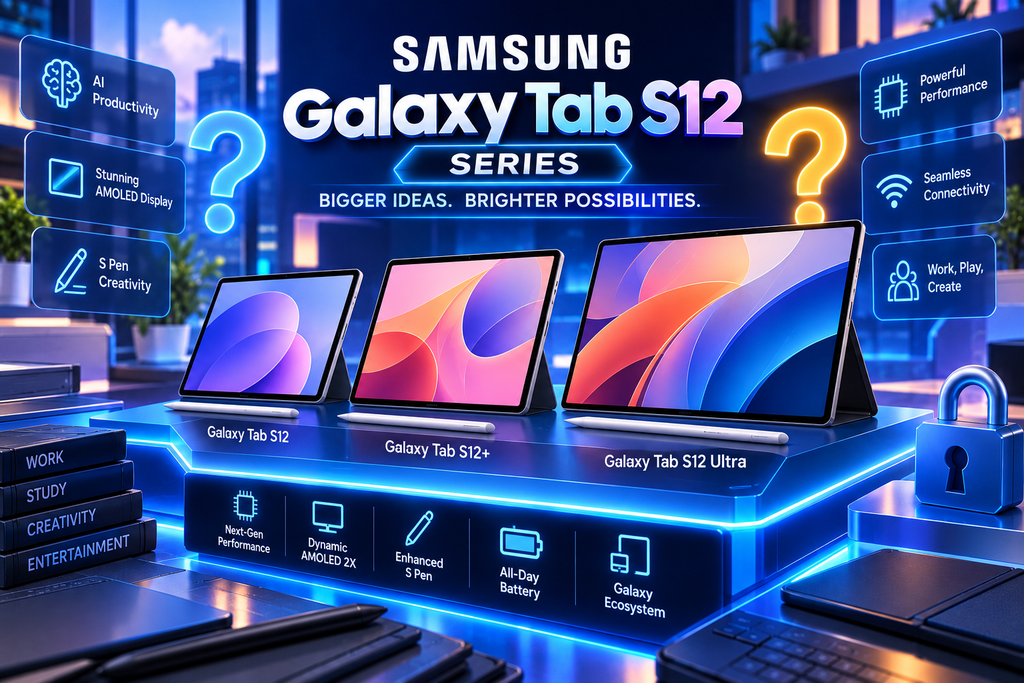
Both feature Dynamic AMOLED 2X displays, a MediaTek Dimensity 9500 processor, an included S Pen, and Galaxy AI-powered productivity tools.
According to Samsung’s official announcement, the new processor delivers up to 61% faster NPU processing, 19% faster CPU performance and 17% improved GPU performance compared with the Galaxy Tab S11 Ultra. These are manufacturer-reported comparisons, not independent benchmark results.
The practical goal is to make demanding activities—from editing creative projects to working across multiple applications—feel more responsive.
- Samsung Galaxy Tab S12+ vs S12 Ultra: Specifications
Here is a comparison of the main specifications for the Indian lineup.
Feature
Galaxy Tab S12+
Galaxy Tab S12 Ultra
Display
12.6-inch Dynamic AMOLED 2X
14.6-inch Dynamic AMOLED 2X
Resolution
2800 × 1752
2960 × 1848
Refresh rate
120Hz
120Hz
Processor
MediaTek Dimensity 9500
MediaTek Dimensity 9500
RAM
12GB
12GB or 16GB
Storage
256GB / 512GB
256GB / 512GB / 1TB
Battery
10,600mAh
11,600mAh
Charging
Up to 45W
Up to 45W
Rear cameras
13MP
13MP + 8MP ultra-wide
Front camera
12MP ultra-wide
12MP ultra-wide
Weight
Approximately 553g (Wi-Fi)
Approximately 692g (Wi-Fi)
Operating system
Android 17 with One UI 9
Android 17 with One UI 9
S Pen
Included
Included
Specifications can vary by configuration and market. Check the official Samsung India product announcement for the full details.
- Display Quality: AMOLED Screens for Work and Entertainment
A tablet’s display influences almost everything you do, from reading documents to watching films and editing photographs.
Both Galaxy Tab S12 models feature Dynamic AMOLED 2X displays with refresh rates of up to 120Hz. Samsung advertises peak brightness of up to 1,600 nits, helping the screens remain visible in a range of lighting conditions.
The difference comes down to size.
The S12+ provides a 12.6-inch display, offering a balance between a spacious workspace and portability. It should appeal to students, travellers and professionals who frequently carry their devices between locations.
The S12 Ultra’s 14.6-inch display provides more room for multitasking, drawing and editing video timelines. If you regularly work with several windows open, that additional space could be more valuable than a modest processor upgrade.
For entertainment, both models offer the kind of high-contrast visuals that make films and streaming content look engaging. Their quad-speaker systems with four-channel spatial audio also aim to provide a more immersive listening experience.
- Performance and Galaxy AI Features
The MediaTek Dimensity 9500 processor sits at the centre of the Galaxy Tab S12 Series. Combined with generous memory configurations, it is designed to handle demanding applications and multitasking.
Samsung also places considerable emphasis on Galaxy AI.
How Galaxy AI could help in everyday use
The series supports productivity features such as Note Assist, which can summarise notes and help organise information. Samsung Browser also offers AI-assisted summarisation features for research workflows.
Imagine a student watching a lecture while taking notes and consulting an AI assistant. Or consider a professional reviewing several documents and using AI tools to organise the key points.
These features could reduce repetitive work, but their usefulness depends on the task, language support and software implementation. AI-generated summaries should always be checked before being used in important academic or professional work.
Samsung also includes a six-month Google AI Pro trial in its announced Indian offering, subject to eligibility and terms. Buyers should confirm the current offer before purchasing.
- S Pen and Creative Applications
The included S Pen is one of the series’ most practical features. It lets users write notes, annotate documents, sketch ideas and make precise edits directly on the display.
For students, it can turn lecture notes into a searchable digital notebook. For designers, it offers a more natural way to sketch concepts and mark up creative work.
Samsung also highlights a range of creative and productivity applications:
Adobe Photoshop: For image editing and creative projects.
Notability: For note-taking and study organisation.
Goodnotes: For digital notebooks and handwritten notes.
LumaFusion: For video editing.
Clip Studio Paint: For illustration and digital art.
Availability, trials and subscription conditions vary by app and region, so check the included benefits before relying on them for your workflow.
The larger S12 Ultra may be particularly appealing to artists and editors who need more working space. However, a tablet’s capabilities do not automatically make it a complete laptop replacement: the software you use every day matters just as much as the hardware.
- Design, Battery and Durability
Despite their large displays, both tablets have slim designs. The S12+ is approximately 5.3mm thick, while the S12 Ultra measures around 5.1mm.
The Ultra weighs approximately 692g in its Wi-Fi configuration, compared with about 553g for the Wi-Fi S12+. The difference is worth considering if you plan to hold the tablet for long reading or drawing sessions.
Battery capacities are 10,600mAh for the S12+ and 11,600mAh for the Ultra. Both support charging at up to 45W.
Actual battery life depends on brightness, gaming, video editing, network use and multitasking. Manufacturer specifications alone cannot establish how long the tablets will last in every real-world situation.
Both models also carry an IP68 rating for water and dust resistance. This adds reassurance against certain accidental exposures, but it does not make either device indestructible.
Samsung states that the series supports up to seven generations of operating-system upgrades and seven years of security updates, offering a longer support commitment for buyers planning to keep their tablets for years.
- Samsung Galaxy Tab S12 Series Price in India
Samsung announced the following Indian prices for the main configurations:
Model and configuration
Price
Galaxy Tab S12+ Wi-Fi, 12GB + 256GB
₹1,29,999
Galaxy Tab S12+ Wi-Fi, 12GB + 512GB
₹1,49,999
Galaxy Tab S12 Ultra Wi-Fi, 12GB + 256GB
₹1,49,999
Galaxy Tab S12 Ultra Wi-Fi, 12GB + 512GB
₹1,69,999
Galaxy Tab S12 Ultra 5G, 12GB + 256GB
₹1,64,999
Galaxy Tab S12 Ultra 5G, 12GB + 512GB
₹1,84,999
Samsung also lists higher-capacity Ultra configurations and separate connectivity options. Promotional benefits, bank offers and upgrade programmes may change the effective purchase price.
For the latest availability and offers, visit Samsung Newsroom India.
At these prices, buyers should consider the cost of optional keyboard accessories as well. If your goal is to replace a laptop, the total cost of the tablet, keyboard and required software may be more important than the tablet’s price alone.
- Which Galaxy Tab S12 Model Should You Buy?
The best choice depends on what you plan to do with the device.
Choose the Galaxy Tab S12+ if:
You want a large screen without carrying the heaviest model.
You mainly take notes, study, browse and watch videos.
You want a premium tablet for everyday productivity.
Choose the Galaxy Tab S12 Ultra if:
You need the largest display available in this lineup.
You work with digital art, video editing or multiple applications.
You want the option of higher memory and storage configurations.
You value additional rear-camera flexibility.
Consider a more affordable tablet if: your main activities are web browsing, video streaming, online classes and basic document editing. You may not need to spend over ₹1 lakh to get a good experience.
Before buying, make a list of the applications you use most often. Check whether they offer the same features on Android tablets as they do on a desktop computer. That small step can prevent an expensive purchase from becoming an inconvenient laptop replacement.
Final Verdict: Is the Samsung Galaxy Tab S12 Series Worth Buying?
The Samsung Galaxy Tab S12 Series combines premium AMOLED displays, a powerful processor, Galaxy AI features and S Pen support in slim tablet designs.
The Galaxy Tab S12+ is the more balanced option for people who want a large display without the extra weight. The Galaxy Tab S12 Ultra is better suited to users who need more screen space, advanced creative tools and higher memory or storage configurations.
The biggest consideration is price. These tablets make the most sense for users who will regularly take advantage of their productivity and creative capabilities. For casual use, a less expensive device may offer better value.
As always, independent performance tests and long-term battery reviews will provide a clearer picture of how the tablets perform outside the specification sheet.
What do you think? Would you choose the Galaxy Tab S12+ for portability or the S12 Ultra for its larger display? Share your thoughts in the comments and explore more Samsung news, tablet comparisons and technology guides on our blog.