Introduction: Can the Samsung Galaxy Tab S12 Series Replace Your Laptop?
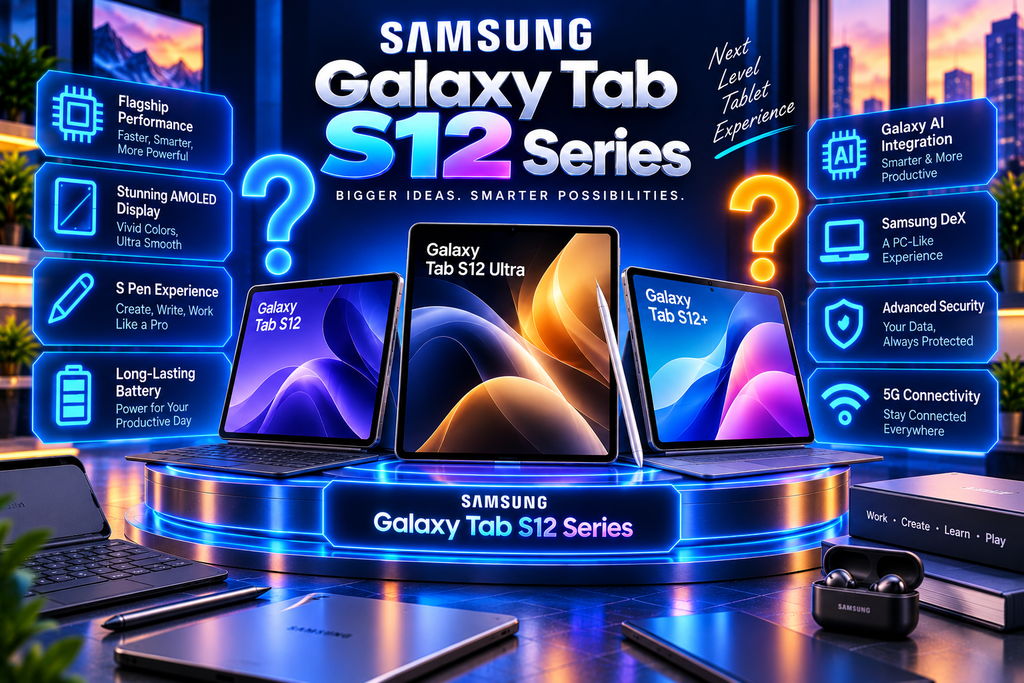
Imagine taking handwritten notes in a meeting, editing photos on a large screen, watching movies in stunning detail and switching to a desktop-style workspace—all on one portable device.
That is the promise of the Samsung Galaxy Tab S12 Series, Samsung’s latest premium tablet lineup. Launched in September 2026, the series combines powerful hardware, large AMOLED displays, S Pen support and Galaxy AI features designed to make studying, working and creating more convenient.
The lineup includes two models: the Galaxy Tab S12 Ultra and Galaxy Tab S12+. The Ultra targets users who want the largest possible workspace, while the Plus offers a more portable alternative without sacrificing the flagship processor.
But with prices starting at ₹1,29,999 in India, these tablets are not inexpensive entertainment devices. Are they worth buying, and can they genuinely replace a laptop for your daily work?
Let’s explore their specifications, displays, performance, AI features, battery life, prices and key differences.
- Samsung Galaxy Tab S12 Series: Specifications at a Glance
Samsung has designed both tablets around productivity and entertainment. Although they share the same processor and core software experience, their displays, batteries and connectivity options differ.
Feature
Galaxy Tab S12+
Galaxy Tab S12 Ultra
Display
12.6-inch Dynamic AMOLED 2X
14.6-inch Dynamic AMOLED 2X
Resolution
2800 × 1752
2960 × 1848
Refresh rate
120Hz
120Hz
Processor
MediaTek Dimensity 9500
MediaTek Dimensity 9500
RAM
12GB
12GB / 16GB
Storage
256GB / 512GB
256GB / 512GB / 1TB
Battery
10,600mAh
11,600mAh
Wired charging
45W
45W
Rear cameras
13MP
13MP + 8MP ultra-wide
Front camera
12MP ultra-wide
12MP ultra-wide
Operating system
Android 17, One UI 9
Android 17, One UI 9
Included accessory
S Pen
S Pen
Water and dust resistance
IP68
IP68
Specifications are based on Samsung’s official product information. Storage, RAM and connectivity options depend on the model and market.https://pangeeks.com/wp-admin/post.php?post=337&action
For the complete details, visit Samsung’s official Galaxy Tab S12 Series announcement.
- Design and Display: Two Sizes for Different Workflows
A tablet’s screen affects almost everything you do with it, from reading articles to editing videos. Samsung’s decision to offer two sizes gives buyers a meaningful choice.
Galaxy Tab S12 Ultra: A 14.6-inch workspace
The Galaxy Tab S12 Ultra features a 14.6-inch Dynamic AMOLED 2X display with a resolution of 2960 × 1848 pixels. It supports a 120Hz refresh rate and peak brightness of up to 1,600 nits.
The tablet measures just 5.1mm thick and weighs approximately 692 grams for the Wi-Fi version. That is remarkably thin for a device with such a large display, although it remains substantial when held for extended periods.
The screen is particularly useful for:
Editing photographs and videos.
Working with large spreadsheets and documents.
Drawing, sketching and digital illustration.
Viewing multiple applications side by side.
Watching films and following online courses.
The extra screen space can make a real difference when working with detailed timelines, reference images or multiple documents.
However, the Ultra is not the most convenient tablet to hold casually on a crowded bus or while lying in bed. Its size is an advantage at a desk, but a disadvantage when portability matters most.
Galaxy Tab S12+: A more balanced option
The Galaxy Tab S12+ features a 12.6-inch AMOLED display with a 2800 × 1752 resolution. It offers the same 120Hz refresh rate and 1,600-nit peak brightness rating.
At approximately 553 grams for the Wi-Fi model, it is significantly lighter than the Ultra. Its 5.3mm-thick body also makes it easier to carry between classes, offices and meetings.
For many users, this could be the more practical size. You still get a generous screen for writing, reading, multitasking and entertainment without carrying the largest tablet in Samsung’s lineup.
Both models feature Vision Booster, which adjusts display behaviour according to surrounding lighting conditions.
- Performance: MediaTek Dimensity 9500
Both tablets use the MediaTek Dimensity 9500, a flagship 3nm processor designed for demanding applications, graphics and AI workloads.
Samsung claims that the Tab S12 series delivers up to 61% faster NPU processing, 19% faster CPU performance and 17% improved GPU power compared with the Galaxy Tab S11 Ultra. These are manufacturer-reported comparisons, not guarantees of identical improvements in every application.
What does this mean in everyday use?
The processor and available memory are designed to support activities such as:
Running several applications simultaneously.
Editing high-resolution photos.
Working on complex digital illustrations.
Editing videos in compatible applications.
Playing graphics-intensive games.
Using AI tools alongside normal productivity applications.
Samsung has also introduced a redesigned 3D vapour chamber to help dissipate heat during demanding workloads.
For someone editing a video while referencing documents and taking notes, sustained performance matters more than a single benchmark score. The real test is whether the tablet remains responsive throughout a long working session.
Early reviews have praised the Ultra’s performance, although independent testing remains important for evaluating sustained workloads and heat management.
- Galaxy AI: More Than Just a Chatbot
Samsung is positioning Galaxy AI as a productivity tool rather than a feature users open only occasionally.
On a large tablet, AI can be especially useful because there is room to view source material, ask questions and edit the resulting content without constantly switching screens.
AI features worth exploring
Automated App Actions: Supported AI assistants can carry out certain multi-step tasks across compatible applications. Availability depends on the assistant, app integrations, permissions and region.
Now Brief: Presents personalised information and selected updates to help users organise their day.
AI-assisted note-taking: Compatible tools can help organise notes, transcribe recordings and summarise information.
Photo editing: AI-powered editing tools can help remove unwanted objects and modify images using supported instructions.
Conversational assistance: Supported assistants, including Gemini and Bixby, can answer questions and help with compatible tasks.
These tools could be valuable for students summarising lecture notes, professionals organising meeting information and creators preparing content.
Still, AI is not a substitute for checking facts. Summaries can miss context, generated content may contain errors, and some features require an internet connection or account sign-in.
Samsung also notes that AI capabilities can vary by language, region and application.
- S Pen and Creativity: A Major Advantage
The S Pen is included with both Galaxy Tab S12 models, adding value for people who regularly write, sketch or annotate documents.
Unlike a basic stylus used only for tapping, the S Pen supports precise input that makes handwriting and drawing more natural. It is particularly useful for students, designers, teachers and professionals who prefer marking up documents by hand.
Useful S Pen applications
Handwritten class notes and meeting minutes.
Annotating PDFs and research papers.
Sketching ideas before turning them into designs.
Editing images with more precise control.
Signing or marking up compatible documents.
Samsung also promotes access to creative applications such as Adobe Photoshop, Goodnotes, LumaFusion and Clip Studio Paint, with selected introductory offers or trials.
The exact benefit depends on eligibility and subscription terms, so check the current offer before assuming a paid application is included permanently.
One detail to remember: Samsung states that the bundled S Pen does not support Bluetooth Low Energy functions. Buyers who need specific remote-control features should check compatibility rather than assuming every older S Pen function is available.
- Battery Life and Charging
A large screen and powerful processor require substantial battery capacity. Samsung has equipped the two tablets with large batteries to support long sessions away from a power outlet.
Battery feature
Tab S12+
Tab S12 Ultra
Battery capacity
10,600mAh
11,600mAh
Wired charging
45W
45W
Advertised video playback
Up to 21 hours
Up to 23 hours
Samsung’s advertised playback figures are based on specified test conditions. Actual endurance depends on brightness, Wi-Fi or 5G use, applications, background activity and workload.
The Ultra’s larger battery is useful for travel and extended creative sessions, while the S12+ balances battery capacity with a lighter design.
Both support 45W wired charging. Samsung says a compatible 45W adapter can recharge either tablet from empty to full in approximately 95 minutes under its test conditions.
One drawback is that the charging adapter is not included in the retail box in India. Budget for a compatible charger if you do not already own one.
- Samsung Galaxy Tab S12 Series Price in India
Samsung announced the following Indian launch prices for the Tab S12 lineup.
Model and configuration
Launch price
Tab S12+ Wi-Fi, 12GB + 256GB
₹1,29,999
Tab S12+ Wi-Fi, 12GB + 512GB
₹1,49,999
Tab S12+ 5G, 12GB + 256GB
₹1,44,999
Tab S12+ 5G, 12GB + 512GB
₹1,64,999
Tab S12 Ultra Wi-Fi, 12GB + 256GB
₹1,49,999
Tab S12 Ultra Wi-Fi, 12GB + 512GB
₹1,69,999
Tab S12 Ultra 5G, 12GB + 256GB
₹1,64,999
Tab S12 Ultra 5G, 12GB + 512GB
₹1,84,999
Samsung’s product pages may show discounts and promotional prices that differ from launch prices. Check the official Samsung India store for current offers, exchange benefits and availability.
Samsung also lists the Pro Keyboard Cover at ₹26,499 for the S12+ and ₹27,999 for the Ultra. That accessory cost matters if you intend to use the tablet as a laptop alternative.
- Galaxy Tab S12+ vs Tab S12 Ultra: Which Should You Buy?
The two models share the same processor, so the decision largely comes down to screen size, portability, battery and budget.
Your main use
Recommended model
Why
Studying and handwritten notes
Tab S12+
Large screen in a lighter body
Travel and everyday productivity
Tab S12+
Easier to carry
Professional photo or video editing
Tab S12 Ultra
More room for detailed timelines and tools
Drawing and digital illustration
Tab S12 Ultra
Larger canvas for complex projects
Watching movies at home
Tab S12 Ultra
More immersive screen
Lower cost within the S12 lineup
Tab S12+
Lower starting price
My practical recommendation: The Tab S12+ is likely the better fit for many people who want a premium Android tablet for work, study and entertainment. The Ultra is worth considering if you regularly benefit from a 14.6-inch screen.
Do not buy the Ultra simply because it is the more expensive model. Buy it if the extra screen space makes your daily tasks easier.
- Can the Galaxy Tab S12 Series Replace a Laptop?
With Samsung DeX, a compatible keyboard and a mouse, both tablets can provide a desktop-style working environment. You can arrange applications in windows and perform many productivity tasks without using a traditional laptop.
However, a tablet is not automatically a complete laptop replacement.
Some desktop applications have no equivalent Android version, and certain professional workflows still work better on Windows or macOS. Independent reviewers have also noted that Android’s tablet app ecosystem and DeX’s limitations can affect the experience.
Before replacing your laptop, check whether the software you depend on is available and whether it supports all the features you need.
For browsing, writing, video calls, notes and many creative tasks, the Tab S12 series can be a capable alternative. For specialised desktop software, test compatibility first.
- Pros and Cons
Pros
Bright, high-resolution AMOLED displays with 120Hz refresh rates.
Powerful Dimensity 9500 processor in both models.
Included S Pen for notes, drawing and editing.
Large batteries and 45W wired charging.
Galaxy AI and Samsung DeX productivity features.
IP68 water and dust resistance.
Up to seven generations of OS upgrades and seven years of security updates.
Cons
Premium starting prices.
Keyboard accessories add significantly to the total cost.
The Ultra is large for handheld use.
Charging adapter sold separately.
Some professional desktop applications may not be available on Android.
Certain AI functions depend on supported apps, languages and regions.
Conclusion: Is the Samsung Galaxy Tab S12 Series Worth Buying?
The Samsung Galaxy Tab S12 Series is designed for people who want more than a tablet for watching videos. Its powerful processor, AMOLED displays, included S Pen, Galaxy AI features and long-term software support make it an appealing choice for productivity and creative work.
The Galaxy Tab S12+ offers a strong balance between screen size and portability, while the Tab S12 Ultra provides a much larger workspace for demanding creative tasks and multitasking.
The main question is whether you will use those premium capabilities often enough to justify the price. If the tablet will help you study, work, draw or edit content every day, it could be a worthwhile investment. If you mainly stream videos and browse the internet, a less expensive tablet may deliver better value.
What would you choose—the Galaxy Tab S12+ or the Galaxy Tab S12 Ultra? Tell us in the comments, and explore our other technology articles for more smartphone, tablet and gadget comparisons.
SEO Publishing Checklist
Focus keyword: Samsung Galaxy Tab S12 Series
Suggested URL slug: samsung-galaxy-tab-s12-series
Thumbnail alt text: Samsung Galaxy Tab S12 Series featuring the Tab S12 Ultra and Tab S12+ with S Pen and keyboard accessories.
Suggested internal links: Link to your existing articles about Samsung Galaxy S26, Samsung Galaxy Z8 Series, best tablets for students, Android 17 features and laptop-versus-tablet comparisons. Use the actual URLs from your website.
External references: Samsung India launch announcement, official India pricing and offers, and Tom’s Guide’s Galaxy Tab S12 Ultra review.